

Photograph the plate. Get the ingredients, not a guess.
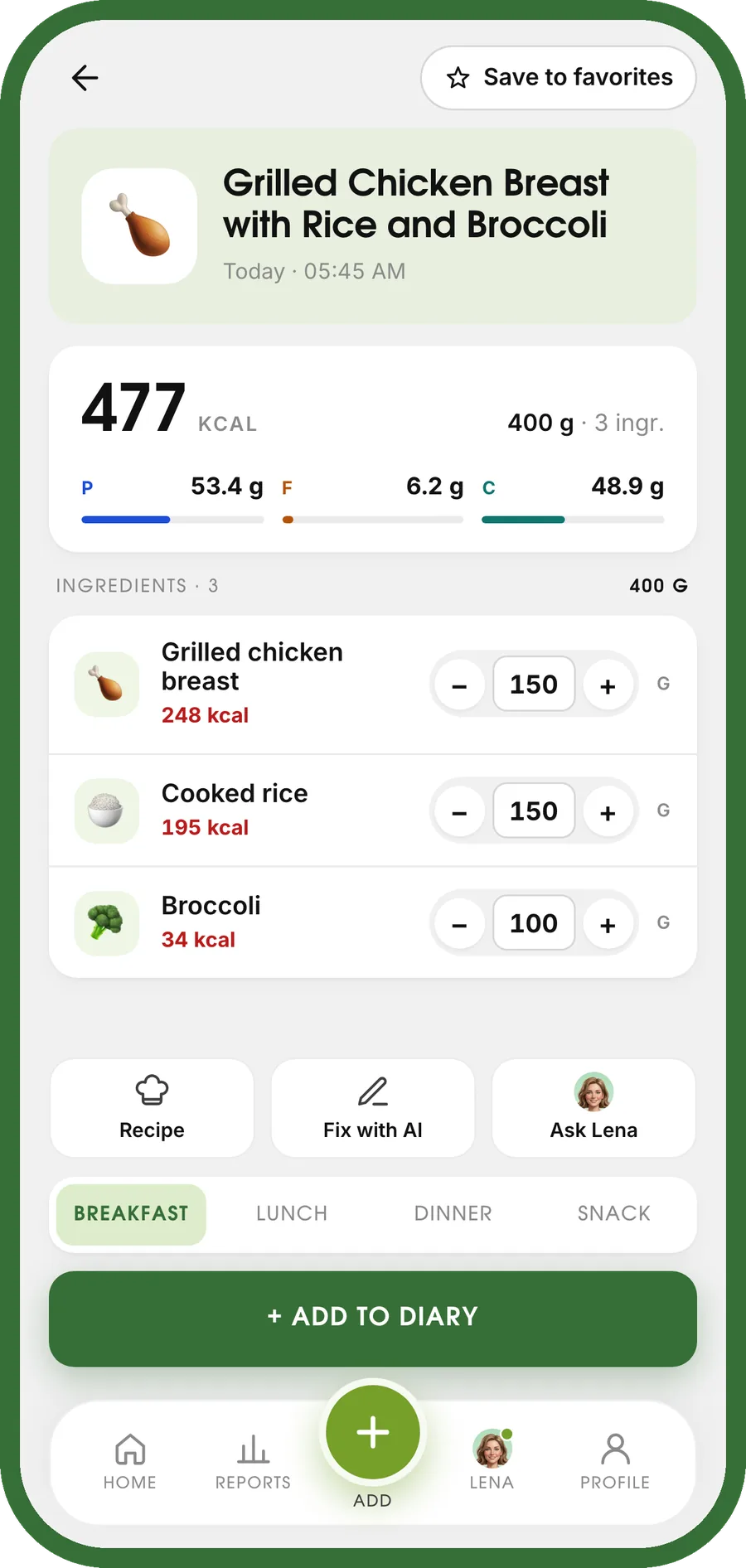
One photo comes back as a list of foods, each with its own grams, calories and macros — all of it editable. Not a single number you have to take on trust.
What one scan comes back as
Below is a real result, not a mock-up: the dish, the foods it was split into, and the weight the model estimated for each. Change a weight and everything rescales — the same arithmetic the app runs, so the numbers here are the numbers you would see.
Baked Salmon Fillet with Green Beans
Fibre comes back too — 3.4 g for this plate — and the totals land in your diary against the day’s target.
A photo is one of three ways in
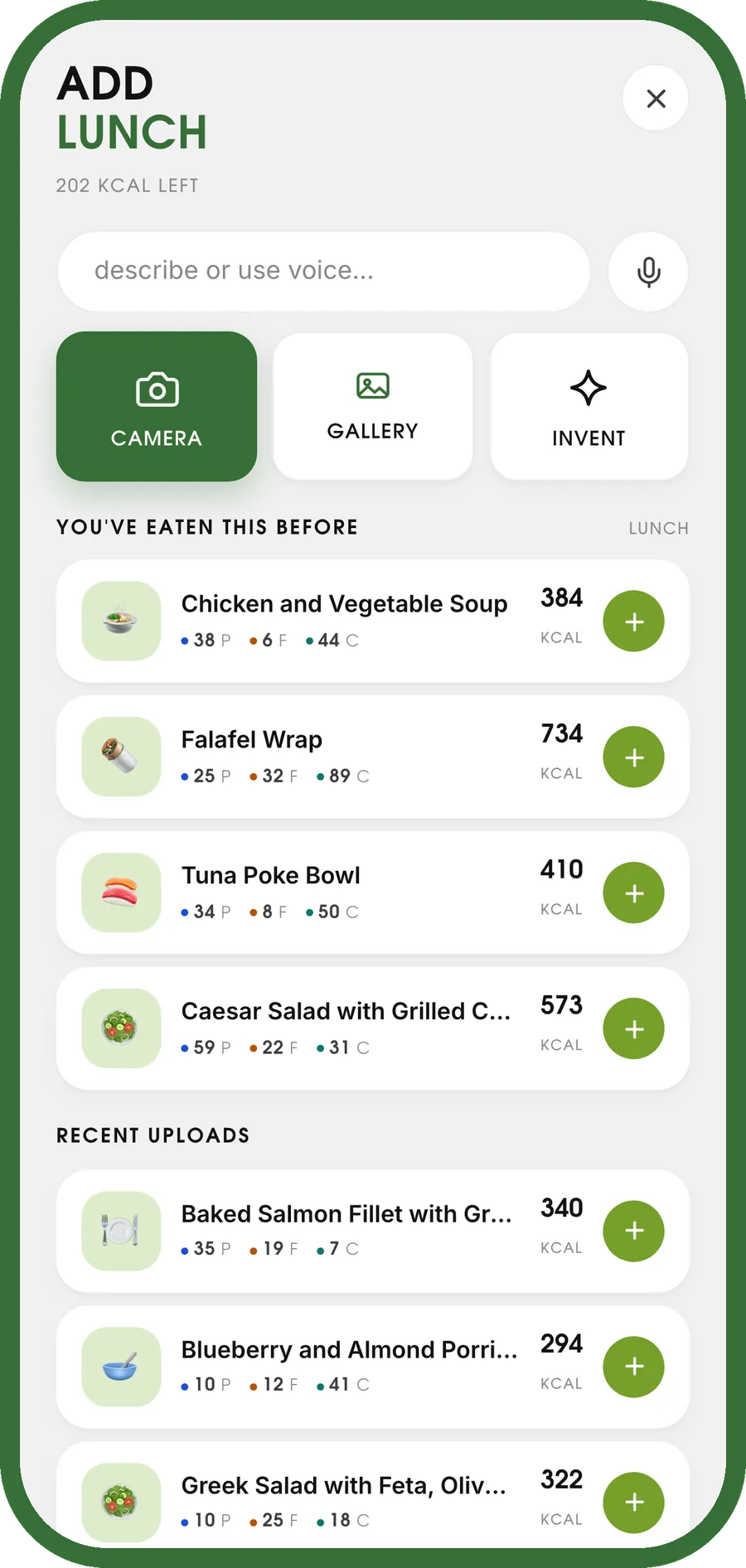
Point the camera at the plate
Camera or gallery. The model names the dish, splits it into the foods it can see and estimates how much of each is on the plate.
Or just type it
A line like “baked salmon with green beans” goes through the same pipeline and comes back in the same shape. Useful when the plate is already empty.
Or say it out loud
A voice note works the same way. Nothing to search, no database to browse, no serving sizes to pick from a list.
The grams are a guess. That is why you can change them.
A photograph carries no scale. Recognising that the plate holds salmon and green beans is the easy half; deciding whether the fillet is 120 g or 180 g is the hard one, and no app does it reliably from an image alone.
- Every weight is editable, and calories and macros rescale from the weight you set.
- Ingredients can be removed or added, so a dish that came back missing something gets fixed, not re-shot.
- Anything you ate before is one tap away, so a repeated meal never needs scanning twice.
Questions people actually ask
How accurate is counting calories from a photo?
The food itself is usually recognised well; the portion weight is the weak part, because a photo carries no scale. That is exactly why every gram figure in the result is editable — you correct the weight, and the calories and macros rescale from it. Treat the first number as a fast estimate you can fix in two taps, not as a measurement.
Do I have to use a photo?
No. A typed line and a voice note go through the same pipeline and come back in the same shape. Most days people mix all three.
Does it need an app on my phone?
No. ScanFood.AI works inside Telegram — you message it a photo — and in any browser. From the browser you can add it to your home screen and it behaves like an installed app. The data is the same either way.
What does one photo actually return?
A dish name, then every food it found as its own row: estimated weight in grams, calories, protein, fat, carbs and fibre. Under them, the totals for the plate. Nothing is hidden behind a single number.
What about home-cooked food and mixed dishes?
That is the case a barcode scanner cannot help with at all, and where a photo is at its most useful — a stew gets split into its parts rather than matched to a packet. The more unusual the dish, the more worth correcting the grams afterwards.
Where does the photo go?
It is sent for analysis and kept with the entry in your own diary, so you can reopen it later. It is not published anywhere and not shown to other people.
Also in the same app
Scan tonight’s dinner
One photo, and the plate is logged. Three days free, no card.
Start free in Telegram